

How to Troubleshoot Autoclave Cycle Errors

A failed sterilization cycle can stop a clinical schedule quickly, but the immediate priority is not getting the autoclave back online at any cost. It is protecting patients, staff, and instrument processing integrity. Knowing how to troubleshoot autoclave cycle errors helps your practice separate simple operating issues from conditions that require qualified repair.
When an autoclave displays an error, alarms during a cycle, fails to reach temperature or pressure, or leaves a load wet, treat the load as unsterile unless your facility's written policy and validated monitoring results establish otherwise. Do not release instruments for patient care based on a partial cycle, a reset, or an assumption that the machine "probably finished."
Start With the Error Code and Cycle Record
Every autoclave model has its own error-code definitions, safety interlocks, and diagnostic sequence. Before turning the unit off or clearing an alert, record the error code exactly as displayed. Note the date and time, selected cycle, load type, operator, chamber condition, water level, and any unusual sounds, leaks, or steam release.
If the unit has a printer, digital log, or data export function, retain the cycle record. That information helps identify whether the failure occurred during filling, heating, sterilization exposure, exhaust, drying, or door release. It also gives a service technician a more useful starting point than a general report that the sterilizer "stopped working."
Consult the manufacturer operating manual for the specific model. A low-water alert on one tabletop sterilizer may point to a reservoir issue, while the same general message on another unit may indicate a sensor, pump, or internal plumbing fault. Never use a generic error-code chart as a substitute for the equipment documentation.
Perform Safe, Operator-Level Checks First
Some cycle errors result from conditions that trained office personnel can correct without opening the equipment or bypassing safety features. Begin only after allowing the unit to cool as required by the manufacturer. Wear appropriate PPE when handling a recently run load or working around hot surfaces and steam.
Confirm the Basics: Power, Water, and Drainage
Verify that the autoclave is connected to the correct power source and that the circuit has not tripped. Avoid extension cords, power strips, or outlets that do not meet the unit's electrical requirements. Intermittent power can interrupt heating and control functions, creating recurring errors that appear to be mechanical.
Check the water supply specified for the unit. Many steam sterilizers require distilled or demineralized water. Tap water, softened water, and improperly treated water can leave mineral deposits that affect valves, sensors, heaters, and plumbing over time. If the reservoir is low, refill it only with the approved water type and inspect for visible contamination.
For models with a drain bottle or drain connection, confirm that it is not full, kinked, blocked, or improperly seated. Poor drainage can contribute to pressure faults, wet packs, and incomplete drying. Do not force a drain line clear with sharp objects or chemical cleaners unless the manufacturer specifically permits that procedure.
Inspect the Door, Gasket, and Chamber
Door and seal problems are common causes of pressure loss and cycle interruption. Inspect the gasket for cracks, flattening, debris, or areas that have pulled away from its channel. Wipe the gasket and door mating surface using the cleaning method approved for your model. A small piece of pouch material, tape residue, or mineral buildup can prevent a proper seal.
Check that trays, cassettes, pouches, and wrapped packs are not obstructing the door or contacting the chamber wall in a way that prevents closure. Do not lubricate a gasket, alter a latch, or defeat a door interlock. Those actions can create a serious burn hazard and compromise sterilization performance.
Look inside the chamber for debris, scale, discoloration, or a blocked strainer. If routine chamber cleaning is due, follow the manufacturer's procedure and approved cleaning materials. Aggressive abrasives or unapproved chemicals can damage internal surfaces and seals.
Review the Load and Cycle Selection
Not every apparent autoclave malfunction is an equipment failure. Overloading, tightly packed pouches, incorrect pouch orientation, mixed load types, or selecting the wrong cycle can interfere with steam contact and drying. A chamber filled to capacity may look efficient, but it can restrict air removal and prevent adequate circulation.
Use the correct cycle for the device manufacturer instructions, packaging system, and load configuration. Instruments should be cleaned, rinsed, dried, and prepared before sterilization. Sterilization does not compensate for inadequate cleaning or poor packaging.
Wet loads deserve special attention. They may result from excessive load density, an unsuitable cycle, poor steam quality, a drain issue, a worn gasket, or a developing mechanical problem. Repeated wet packs should be documented and investigated, not accepted as a normal part of processing.
Match the Symptom to the Likely System
Autoclave cycle errors generally fall into a few operational categories. Understanding the category helps you decide whether to repeat setup checks, remove the unit from service, or request repair.
A failure to fill or a low-water message may involve an empty reservoir, incorrect water, a blocked intake, a failed pump, or a sensor issue. If refilling with approved water and correctly seating the reservoir does not resolve the error, discontinue use and arrange service.
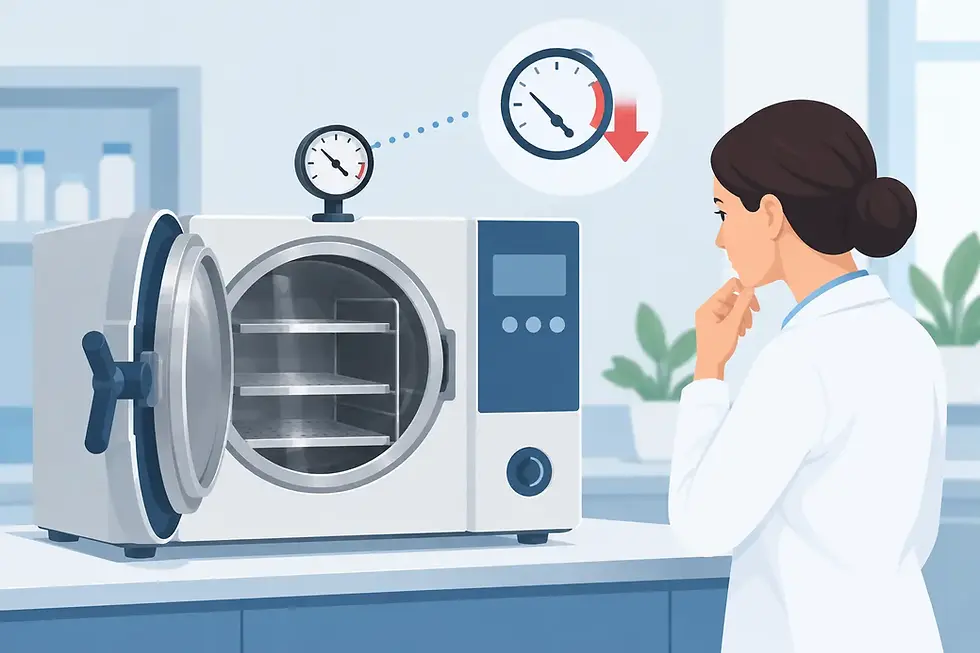
A temperature or pressure failure can be caused by a door leak, loading problem, scale buildup, heating element issue, pressure sensor fault, or control-board problem. Because sterilization depends on verified time, temperature, and pressure conditions, do not rerun the same load until the source of the failure is understood.
An exhaust, vent, or drying error may indicate a blocked filter or drain pathway, an issue with a solenoid valve, restricted plumbing, or improper loading. If steam continues to vent unexpectedly, the unit leaks, or the door remains locked after the prescribed cooling period, keep personnel away from the equipment and contact qualified service support.
Repeated errors after a successful reset are especially significant. Resetting may clear the display, but it does not correct a failing sensor, sticking valve, weak heating component, or degraded seal. A pattern of intermittent failures is often an early warning that can be addressed before complete downtime occurs.
Know When to Remove the Autoclave From Service
Certain conditions should move the unit out of service immediately. Tag the autoclave clearly so it is not used by another staff member, preserve relevant logs, and follow your facility's equipment and infection-control procedures.
Remove the unit from use when you see repeated cycle failures, unexplained temperature or pressure deviations, persistent wet loads, visible steam leaks, electrical odor, tripped breakers, damaged cords, a malfunctioning door lock, or an error that returns after basic approved checks. Also stop using the unit if chemical indicators, biological monitoring, or cycle documentation does not meet your established acceptance criteria.
Do not attempt internal repairs if your staff is not trained and authorized to perform them. Opening panels may expose personnel to hot components, electrical hazards, pressurized plumbing, and calibration-sensitive parts. It can also complicate warranty coverage or create a compliance concern if repairs are not documented.
Document the Failure for Faster Service
A clear service report reduces delays and prevents unnecessary part replacement. Include the autoclave manufacturer, model, serial number, error code, selected cycle, approximate load, water type, and whether the failure is constant or intermittent. Add photos of leaks, damaged gaskets, display messages, or residue when appropriate.
Keep records of recent preventive maintenance, gasket replacement, chamber cleaning, water-system changes, and prior repairs. These details can point to the cause. For example, a recurring fill fault after a water-quality change needs a different evaluation than a pressure error on a unit with a visibly worn door seal.
For clinics that need dependable turnaround, IMEDTECH can support sterilization equipment needs with practical repair, maintenance, and replacement-part solutions. Certified technical evaluation is often the most cost-effective next step when basic operator checks do not resolve the issue.
Prevent the Next Cycle Error
Preventive maintenance is less disruptive than an urgent repair during a full patient schedule. Follow the manufacturer schedule for cleaning, inspection, water management, filter or strainer service, gasket care, and routine testing. Assign responsibility for daily and weekly checks so small issues are not overlooked between operators.
Just as important, train staff to load the chamber consistently and document abnormal results promptly. An autoclave rarely fails without leaving clues first: a longer heat-up time, a wetter-than-normal pack, a slight steam leak, or an occasional error code. Acting on those clues protects instrument availability and gives your practice more control over repair timing.


Comments